

Odoo Workflow Automation: an n8n-Style Visual Workflow Builder Inside Odoo
Automate any process in Odoo, visually
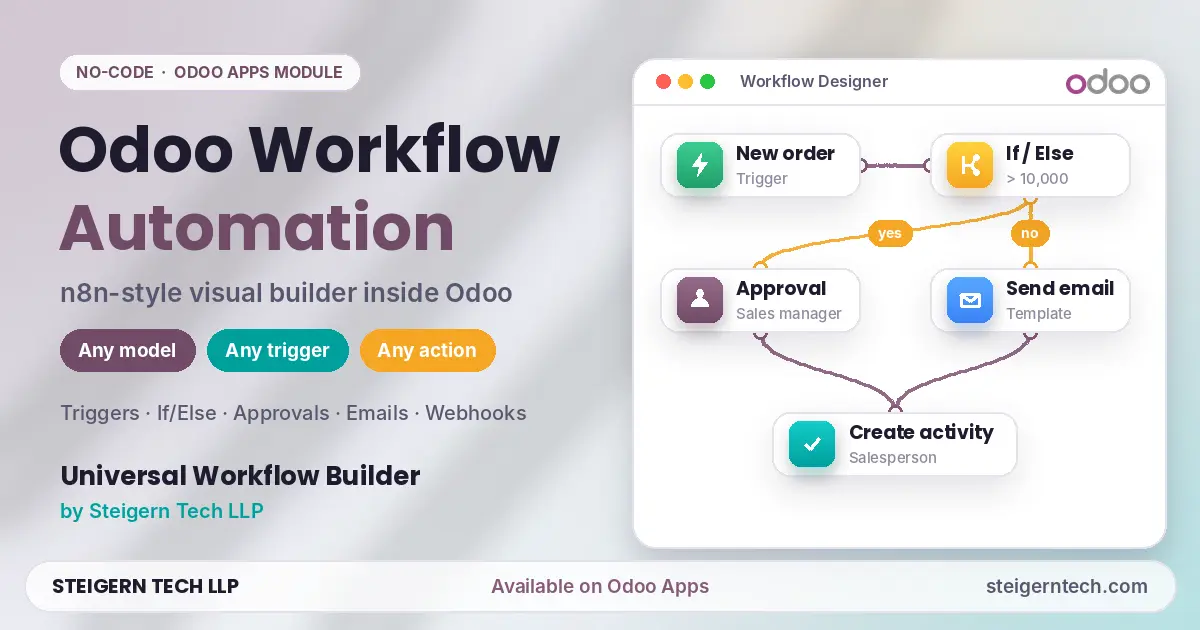
The Universal Workflow Builder by Steigern Tech LLP brings n8n-style, drag-and-drop workflow automation directly inside Odoo ERP. You design workflows on a visual canvas: pick a trigger, add conditions, approvals, loops and waits, then send emails, update records, create activities or call external APIs. No separate automation server and no code needed. It is available on the Odoo Apps Store.
Most Odoo teams still repeat the same steps by hand: chasing approvals, sending follow-ups, creating activities, updating fields and copying data to other tools. Odoo's standard automation rules handle simple one-step actions, and tools like n8n or Zapier sit outside Odoo and need extra setup. The Universal Workflow Builder fills that gap: multi-step, branching workflows with approvals and logs, built and run inside Odoo.
This guide covers what the module does, how a workflow runs, real examples, and how to get started.
What is the Universal Workflow Builder?
Universal Workflow Builder | No-Code Visual Workflow Automation & Approval Designer is an Odoo module by Steigern Tech LLP. Its promise is simple: any model, any trigger, any action. It works on standard and custom Odoo models, and runs on Odoo's own automation engine, so workflows live in your database alongside your data.
| Detail | Value |
|---|---|
| Developer | Steigern Tech LLP |
| Technical name | automation_workflow_builder_stg |
| Editions | Odoo Community and Enterprise |
| Hosting | Odoo Online, Odoo.sh, On-Premise |
| Step types | 23 |
| Works on | Any standard or custom model |
| Built on | Odoo base_automation, scheduled actions and server actions |
| Price | USD 78.01 (Odoo Apps, Nov 2026) |
Watch the Universal Workflow Builder in action
See how workflows are designed, tested and run inside Odoo in these two videos from Steigern Tech.
Video 1: Watch on YouTube →
Video 2: Watch on YouTube →
Key features of the Odoo workflow automation builder
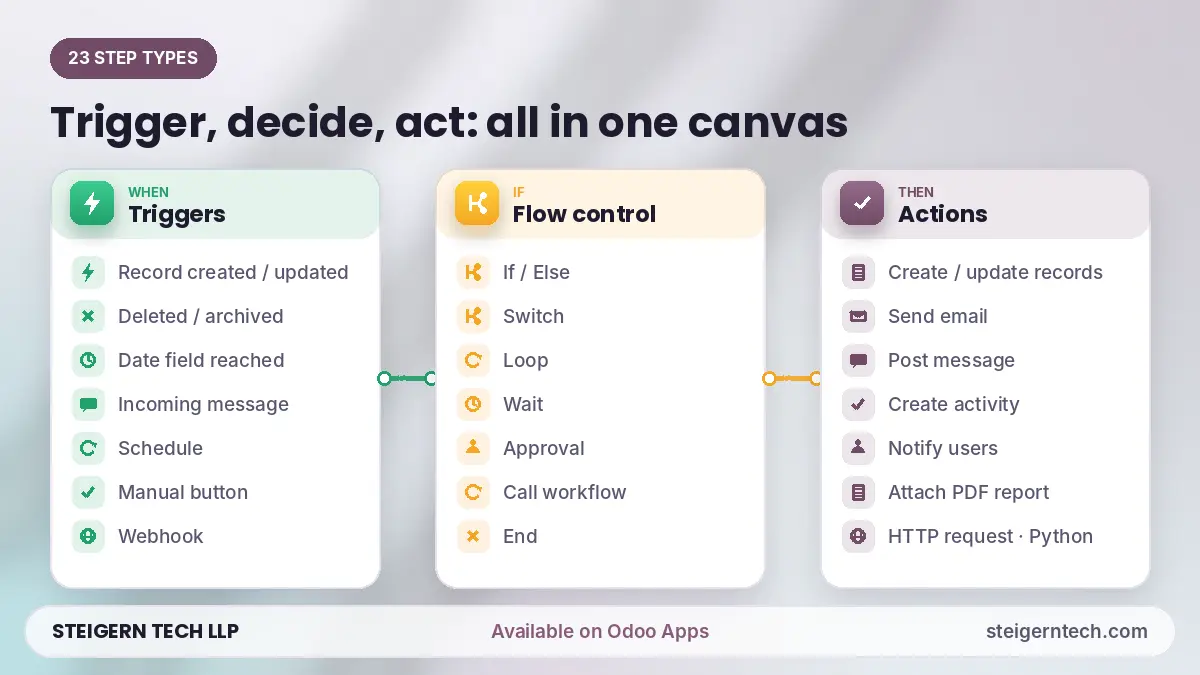
1. Triggers: start a workflow from anything
- Record created, updated, deleted or archived, on any model
- A date field reached (for example, a contract end date or invoice due date)
- Incoming message on a record
- Schedule, for recurring jobs
- Manual button in the record's Action menu
- Webhook, so outside systems can start a workflow with a JSON payload
- Another workflow finished or failed, so you can chain workflows
2. Flow control: n8n-style logic
- If/Else and Switch for branching
- Loop over records or lists
- Wait for a duration or until a date
- Approval steps with approvers by user, group or field
- Call another workflow and End
3. Actions
| Type | What it can do |
|---|---|
| Records | Create, update, duplicate, find, archive or delete records; set variables |
| Communication | Send email (template or free text), post messages with mentions, create activities, notify users, attach PDF reports |
| Integration | Call any external API with an HTTP request, run an Odoo server action, or run restricted Python code |
4. Built-in approvals
Approvers can be specific users, a group, or a field on the record. Fields can be locked during approval, reminders go out automatically, and every decision is recorded. Users approve or reject from Workflows → My Approvals.
5. Run logs, retry and replay
Every step records its input, output, duration and any error. Failed steps can follow an On error path, and you can retry from the failed step or replay from any step. Runs can be viewed as a list, graph or pivot.
6. Safe testing and control
- Test mode runs the whole workflow and then rolls everything back, with no emails or HTTP calls sent.
- Throttling, a maximum number of steps per run, and log retention.
- Run as a specific user, restrict workflows to a company, and block private-network HTTP calls by default.
- Three security levels: User, Designer and Code Editor (only Code Editors can add Python steps).
How a workflow runs: trigger, logic, actions
Every workflow follows the same pattern: something happens in Odoo, the workflow checks conditions, then it takes actions and logs each step. Here is a real example from the module listing, a sales order confirmation follow-up:
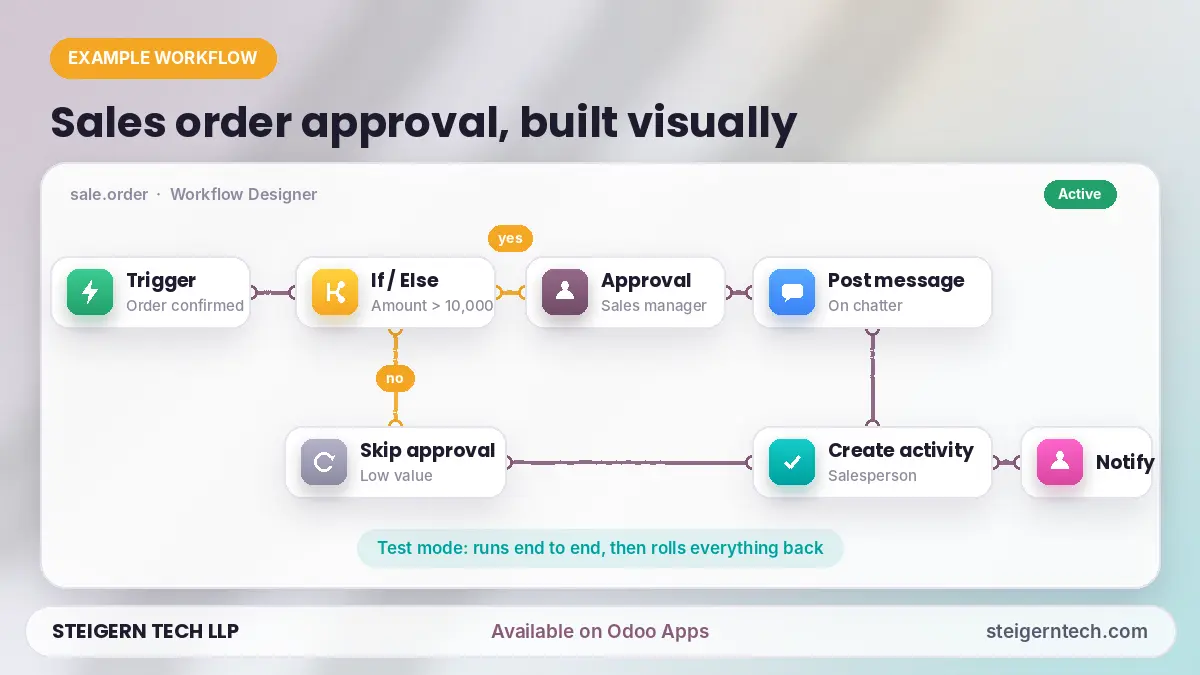
- Trigger: a sales order is confirmed (status changes to Sales Order).
- If/Else: is the order amount over 10,000?
- Approval (high-value orders only): the sales manager approves or rejects.
- Post message on the order's chatter.
- Create activity assigned to the salesperson.
- Notify users that the order is ready to process.
You build this by dragging steps onto the canvas, clicking an output port and then the next step to connect them, and double-clicking a step to configure it. Values from the record can be inserted with placeholders such as {{ record.name }}. Before going live, run it in test mode, which rolls everything back automatically.
Odoo automation examples you can build
Because it works on any model, the same builder covers every department:
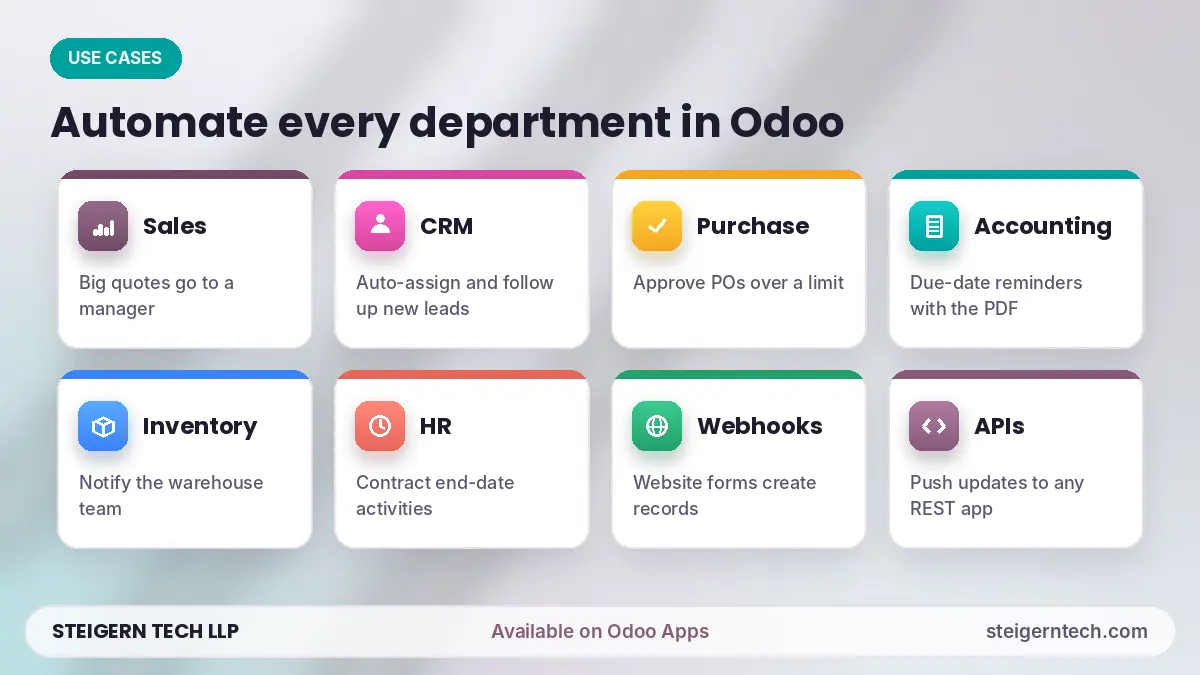
| Department | Workflow idea |
|---|---|
| Sales | Route quotations above a set amount to a manager for approval, then notify the salesperson |
| CRM | When a new lead arrives, assign it, create a follow-up activity and send a welcome email |
| Purchase | Require approval for purchase orders above a limit, with reminders to the approver |
| Accounting | When an invoice due date is reached, send a reminder email with the invoice PDF attached |
| Inventory | When stock is validated, post a message and notify the warehouse team |
| HR | When an employee contract end date is near, create an activity for HR |
| Integrations | Receive a webhook from your website or another app and create or update Odoo records |
| External tools | Send an HTTP request to Slack, WhatsApp providers or any REST API when a record changes |
Workflows can call other workflows, so you can build small reusable pieces and chain them together.
Odoo automation rules vs n8n vs Universal Workflow Builder
Odoo's standard automation rules are good for simple "when this happens, do that" actions. External tools like n8n or Zapier are strong at connecting many different SaaS apps, but they run outside Odoo and reach your data through the API. The Universal Workflow Builder gives you n8n-style multi-step logic inside Odoo.
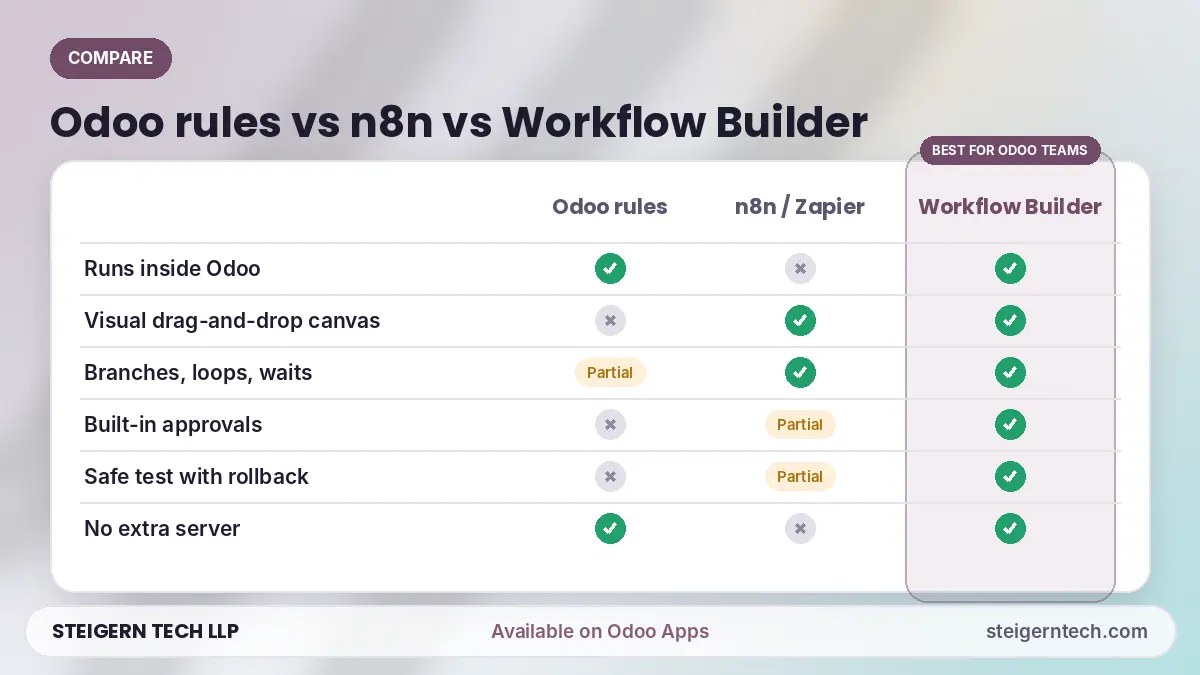
| Feature | Odoo automation rules | n8n / Zapier (external) | Universal Workflow Builder |
|---|---|---|---|
| Where it runs | Inside Odoo | Separate service, connects via API | Inside Odoo |
| Visual drag-and-drop canvas | No | Yes | Yes |
| Branching, loops, waits | Limited | Yes | Yes (If/Else, Switch, Loop, Wait) |
| Approval steps | No | Needs custom setup | Built in, with My Approvals |
| Works on custom Odoo models | Yes | Through the API | Yes, directly |
| Step-by-step run logs, retry | Basic | Yes | Yes, with retry and replay |
| Safe test run with rollback | No | Partial | Yes, full rollback |
| Extra server or subscription | No | Usually | No |
| Connects to other apps | Limited | Hundreds of ready connectors | Webhooks and HTTP requests |
Which should you choose? If your automation is mostly about Odoo data, approvals and teams, the Universal Workflow Builder keeps everything in one place. If you mainly move data between many outside SaaS apps, an external tool may still help, and the builder's webhook and HTTP steps can connect to it.
How to get started with workflow automation in Odoo
- Get the module from the Odoo Apps Store and install it (on-premise: copy it into your addons folder, restart Odoo, update the Apps list and click Install).
- Assign access under Settings → Users: give builders the Designer role, and only trusted admins the Code Editor role.
- Create a workflow, choose the model (for example, Sales Order) and set the trigger.
- Drag in steps such as If/Else, Approval, Send email or Create activity, and connect them.
- Configure each step by double-clicking it, using placeholders like
{{ record.name }}. - Run it in test mode on a real record; nothing is saved or sent.
- Activate it and watch each run under Workflows → Runs.
Frequently asked questions
How do I automate workflows in Odoo?
For simple cases, use Odoo's built-in automation rules. For multi-step workflows with conditions, approvals, waits and logs, install the Universal Workflow Builder and design the workflow visually on its canvas.
Is there an n8n-style workflow builder for Odoo?
Yes. The Universal Workflow Builder by Steigern Tech LLP gives you an n8n-style drag-and-drop canvas inside Odoo, with triggers, If/Else and Switch branches, loops, waits, approvals and actions.
Do I need coding skills?
No. Workflows are built visually. Python steps exist for advanced users, but only people in the Code Editor group can add them.
Does it work with custom modules and models?
Yes. It works on any standard or custom Odoo model that stores records.
Can I build approval workflows in Odoo with it?
Yes. Approval steps support approvers by user, group or field, locked fields, reminders and a full approval log.
Can Odoo connect to other apps with this module?
Yes. Incoming webhooks can start workflows, and HTTP request steps can call any REST API.
Is it safe to test workflows on live data?
Yes. Test mode runs the workflow and then rolls back every change, without sending emails or HTTP calls.
Does it work on Odoo Community?
Yes. It supports Odoo Community and Enterprise, on Odoo Online, Odoo.sh and on-premise.
What happens if a step fails?
The error is logged with full details. The run can follow an On error path, and you can retry from the failed step or replay from any step.
Start automating Odoo today
Stop repeating the same clicks every day. The Universal Workflow Builder by Steigern Tech LLP is available now on the Odoo Apps Store.
Want help designing your first workflows or a custom automation? Talk to the team that built it:
- WhatsApp: +91 94275 72571
- Email: [email protected]
- Website: steigerntech.com
- YouTube: Steigern Technologies
Related Engineering Insights
Xero Odoo Connector: Sync Odoo with Xero via the Xero REST API
Sync Odoo with Xero using the Xero REST API. Contacts, products, invoices, bills and payments for Odoo 16–19. By Steigern Tech LLP, on Odoo Apps.
IoT and AI in Agriculture: How Smart Farming Helps Farmers Grow More
Learn how IoT sensors and AI help farmers save water, cut costs and grow better crops, with real data, 8 use cases and a Contra Farms case study.
RAG vs MCP vs AI Agents: Which Is Best to Automate Your Business?
No single one is 'best'. RAG makes AI know your business, MCP connects AI to your software, and AI Agents let AI do the work. The businesses getting real results use them together, in that order.
Ready to engineer your system with production discipline? Talk to our lead architects.
Our senior engineers review your requirements, design the technical roadmap, and deploy dedicated squads tailored to your tech stack.