
Shopify Odoo Connector: The Complete Guide to Seamless Shopify Odoo Integration

Connect Shopify with Odoo ERP using our Shopify Odoo Connector. Sync products, orders, customers, invoices & inventory in real time. Multi-store support for Odoo 19, 18, 17, 16, 15, 14
Running a growing eCommerce business on Shopify while managing accounting, inventory, and operations in Odoo? If you are still copying orders by hand, exporting CSV files, or updating stock levels in two systems, you already know how quickly things fall apart. Overselling, duplicate customer records, missed invoices, and hours of manual data entry are the hidden costs of running Shopify and Odoo as disconnected islands.
That is exactly the problem a Shopify Odoo Connector solves. In this in-depth guide, we will explain what a Shopify Odoo integration is, why your business needs one, what features to look for, and how the Odoo Shopify Connector Sync and Shopify Odoo Bridge Advanced module for Odoo 19 automates your entire eCommerce workflow — from product sync to invoice generation.
What Is a Shopify Odoo Connector?
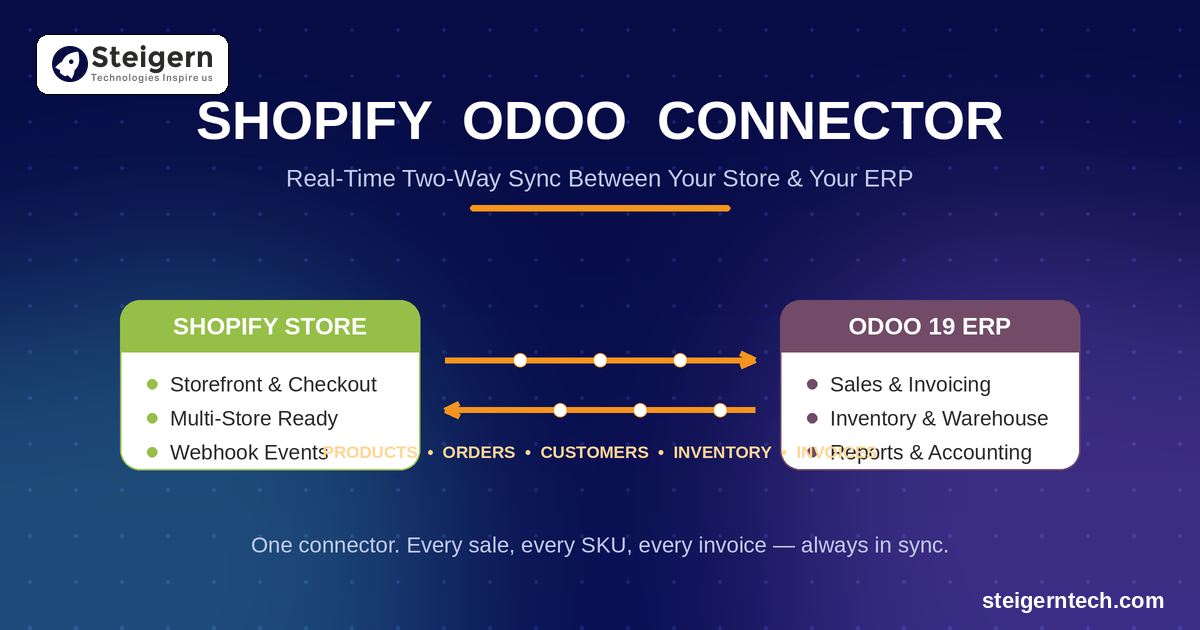
A Shopify Odoo Connector (also called a Shopify Odoo Bridge or Odoo Shopify Integration) is a middleware module installed inside your Odoo ERP that connects directly to your Shopify store through Shopify’s REST API. Once connected, it keeps both platforms in sync automatically:
- Products and variants created in Odoo can be exported to Shopify, and Shopify products can be imported into Odoo — including images, categories, prices, and SKUs.
- Orders placed on your Shopify storefront are instantly imported into Odoo as sales orders, ready for confirmation, delivery, and invoicing.
- Customers are synchronized bi-directionally with duplicate prevention, so every Shopify buyer exists as a clean contact record in Odoo.
- Inventory and stock levels stay accurate across both platforms in real time, eliminating overselling.
- Invoices, fulfillment status, and tracking numbers flow between the two systems without any manual work.
In short, Shopify remains your customer-facing storefront, while Odoo becomes your single source of truth for operations, accounting, warehousing, and reporting.
Why Do You Need Shopify Odoo Integration?
1. Eliminate Manual Data Entry Forever
Without an integration, every Shopify order must be retyped into Odoo. For a store processing even 20–30 orders a day, that is hours of repetitive work — and every keystroke is an opportunity for human error. A Shopify Odoo Connector imports orders automatically the moment they are placed, using webhooks for instant, real-time synchronization.
2. Stop Overselling with Real-Time Inventory Sync
Nothing damages customer trust faster than selling a product you don’t actually have in stock. With Shopify inventory sync, every stock movement in Odoo — a delivery, a return, an internal transfer — is instantly reflected on your Shopify store. Your online catalog always shows true, warehouse-accurate availability.
3. Manage Multiple Shopify Stores from One Odoo Database
Selling in multiple regions or running separate brand storefronts? A multi-store Shopify Odoo Connector lets you connect unlimited Shopify store instances to a single Odoo database. Each store gets its own configuration, its own product mapping, and its own sync rules — while your team manages everything from one centralized ERP.
4. Automate Invoicing and Accounting
When orders flow into Odoo automatically, invoices can be generated and validated automatically too. Your accounting team stops chasing spreadsheets, and your financial reports in Odoo always reflect real Shopify sales data.
5. Better Reporting and Business Intelligence
Once your Shopify data lives inside Odoo, you unlock the full power of Odoo’s dashboards, pivot views, and reports. Sales by product, by store, by customer segment, by warehouse — all in one place, always up to date.
Introducing the Odoo Shopify Connector Sync & Shopify Odoo Bridge Advanced (Odoo 19)
The Shopify Odoo Connector by Steigern Tech is a powerful, easy-to-configure integration module built for Odoo 19, compatible with Odoo Community, Odoo Enterprise, Odoo Online, Odoo.sh, and On-Premise installations.
Here is a complete breakdown of what it does.
Multi-Store Configuration
Connect and manage multiple Shopify stores inside a single Odoo environment. Each store instance is configured independently with its own API credentials, company, and language settings, perfect for multi-brand and multi-region sellers.
Product Import & Export (Shopify Product Sync)
- Bulk import products from Shopify to Odoo, including variants, images, categories, and prices.
- Export Odoo products to Shopify manually or automatically using domain-based filters — choose exactly which products go to which store.
- Keep SKUs, internal references, descriptions, and pricing perfectly aligned across platforms.
Shopify Order Import & Sales Automation
- New Shopify orders are automatically imported into Odoo as sales orders — draft, confirmed, or delivered, based on your workflow.
- Order status updates and shipment tracking information sync back to Shopify, keeping your customers informed automatically.
- Faster order fulfillment means happier customers and better store reviews.
Customer Synchronization with Duplicate Prevention
Every new Shopify customer is automatically created in Odoo. Bi-directional customer sync with built-in duplicate prevention keeps your contact database clean — no more three versions of the same buyer.
Invoice Synchronization
Generate verified billing entries in Odoo directly from Shopify orders, and process invoice status updates on demand. Your Shopify revenue and your Odoo accounting stay in perfect agreement.
Real-Time Inventory Synchronization
Real-time stock mapping across warehouses fixes overselling at the source. The moment inventory changes in Odoo, your Shopify listings update — supporting multi-warehouse setups out of the box.
Webhook Support & Automated Cron Jobs
- Webhooks trigger instant, secure data-push events the moment something happens in Shopify — no waiting for scheduled syncs.
- Automated cron jobs run background synchronization routines on a schedule and maintain detailed logs, so you can monitor every sync and catch any error immediately.
Secure, Modern Architecture
- REST API integration foundation
- Secure token-based authentication
- Multi-company environment support
- A modular configuration console — no coding knowledge required
How to Set Up the Shopify Odoo Connector (Step by Step)
One of the biggest advantages of this module is how fast you can go live. The entire setup takes minutes:
- Install the module from the Odoo Apps menu in your Odoo 19 instance.
- Create a new Shopify instance under the Shopify Connector menu.
- Enter your Shopify API credentials — Shop URL (e.g.,
https://your-store.myshopify.com), Client ID (API Key), and Client Secret from your Shopify custom app. - Click Refresh Token to generate the access token, then click Connection. Green success notifications confirm the link between Shopify and Odoo.
- Configure sync preferences — choose manual product selection or domain-based automatic export.
- Start syncing — import products and orders, and watch new Shopify customers and orders appear in Odoo automatically.
A built-in Logs portal shows the status of every export and import, so you always know exactly what synced and when.
Shopify Odoo Connector Feature Summary
| Area | Capabilities |
|---|---|
| Products | Products & variants, images, categories, prices, import & export |
| Orders | Draft orders, confirmed orders, status updates, tracking info |
| Customers | Import, export, duplicate prevention |
| Inventory | Real-time stock sync, multi-warehouse support |
| Invoices | Automatic generation and status sync |
| Stores | Unlimited multi-store configuration |
| Automation | Webhooks + scheduled cron jobs with full logging |
| Compatibility | Odoo 19 — Community, Enterprise, Odoo Online, Odoo.sh, On-Premise |
Who Should Use This Shopify Odoo Integration?
- Growing D2C brands that started on Shopify and are moving operations into Odoo ERP.
- Multi-store sellers managing several Shopify storefronts who need one back office.
- Wholesalers and distributors running Shopify for online sales and Odoo for warehousing and B2B.
- Odoo partners and implementation agencies looking for a reliable, affordable Shopify Odoo Bridge for client projects.
- Any business tired of CSV exports and manual double entry between Shopify and Odoo.
Frequently Asked Questions (FAQ)
Does the connector support multiple Shopify stores?
Yes. You can configure and manage multiple Shopify store instances within a single Odoo database.
Does it support webhooks for real-time sync?
Yes. Webhook synchronization is fully supported, so orders, customers, and updates flow into Odoo the moment they happen in Shopify — alongside scheduled cron jobs for background syncing.
Do I need coding knowledge to configure it?
No. The entire configuration is done from the Odoo user interface. Enter your Shopify API credentials, click Connect, and you’re live.
Which Odoo versions and editions are supported?
The module is built for Odoo 19 and works with Odoo Community, Odoo Enterprise, Odoo Online, Odoo.sh, and on-premise deployments.
What data can be synchronized between Shopify and Odoo?
Products and variants, product images, categories, prices, customers, sales orders, order statuses, tracking information, invoices, and inventory/stock levels.
Is support available after purchase?
Yes. Dedicated support and custom workflow adjustments are available — simply reach out through the support page on the Odoo App Store listing or via email.
Conclusion: Connect Shopify with Odoo and Scale with Confidence
A reliable Shopify Odoo Connector is no longer a nice-to-have — it is the backbone of an efficient eCommerce operation. By automating product sync, order import, customer management, invoicing, and real-time inventory updates, you free your team from manual work, eliminate costly errors, and get a single, accurate view of your entire business inside Odoo.
The Odoo Shopify Connector Sync & Shopify Odoo Bridge Advanced gives you all of this — multi-store support, webhooks, automated cron jobs, and a no-code setup — at a one-time price of $110, with no monthly subscription fees.
👉 Get the Shopify Odoo Connector for Odoo 19 on the Odoo App Store and start syncing your Shopify store with Odoo today.
Have questions or need a custom workflow? Contact our team — we’re happy to help you get connected.
Tags: